What Is a Homeowners Network? A Clear 2026 Guide

SwappaHome Editorial Team
Home Exchange & Slow Travel Editorial
What Is a Homeowners Network? A Clear 2026 Guide !Woman setting up home network at kitchen table > TL;DR: > > - A homeowners network includes both a...
What Is a Homeowners Network? A Clear 2026 Guide
 Woman setting up home network at kitchen table
TL;DR:
- A homeowners network includes both a residential home area technology system and a community platform for resource sharing and travel. The technical network connects devices via a modem and router, while the community network enables homeowners to exchange resources and homes. Understanding both aspects helps homeowners improve internet performance and leverage their property assets for mutual benefit.
A homeowners network is a private residential network that connects all digital devices in a home so they can communicate, share resources, and access the internet. The term carries two distinct meanings, and confusing them leads to real problems. The first meaning is technical: a home area network (HAN), a residential local network connecting household devices like computers, smart TVs, and printers. The second meaning is community-based: a group of homeowners who share knowledge, referrals, and travel opportunities through platforms like Swappahome. Both definitions matter, and this guide covers each one clearly.
What is a homeowners network in technical terms?
A home area network is a local area network (LAN) designed specifically for residential use. Techopedia defines HAN as a network connecting household devices to enable communication and shared internet access. That definition covers everything from your laptop to your smart thermostat to your wireless printer.
The two core components that make a home area network function are the modem and the router. These are separate devices with separate jobs, and mixing them up causes most home network headaches.
- Modem: Connects your home to your internet service provider (ISP). It converts the signal from your ISP into a format your home devices can use.
- Router: Takes that converted signal and distributes it across your home, either through wired Ethernet cables or wirelessly via Wi-Fi.
- Connected devices: Smartphones, laptops, desktop computers, smart TVs, gaming consoles, security cameras, and smart home gadgets all connect through the router.
- Network infrastructure: Ethernet cables, Wi-Fi access points, and network switches form the physical and wireless backbone of the system.
The table below shows how a typical home area network is structured:
| Component | Role | Connection Type |
|---|---|---|
| Modem | Links home to ISP | Coaxial or fiber cable |
| Router | Distributes internet to devices | Wired Ethernet or Wi-Fi |
| Smart TV | Streams content | Wi-Fi |
| Desktop computer | High-bandwidth tasks | Wired Ethernet |
| Smartphone | Mobile browsing | Wi-Fi |
Understanding this structure matters because modem and router roles are distinct. When your internet goes down, knowing whether the problem is at the modem (ISP issue) or the router (local network issue) cuts your troubleshooting time in half.
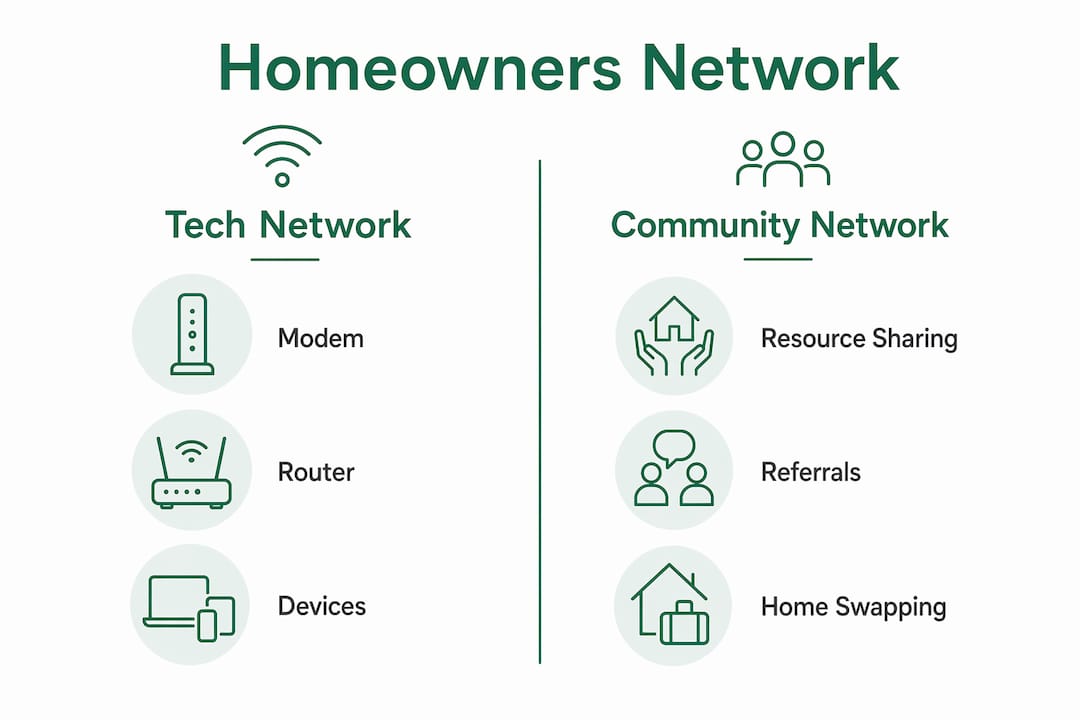 Infographic comparing tech and community homeowners networks
Pro Tip: If your internet is slow on all devices, restart the modem first. If only one device is slow, the problem is local to that device or its connection to the router.
Is wi-fi the same as your home network?
Wi-Fi is not your home network. Wi-Fi is one method devices use to connect to the network wirelessly. The full home network includes all devices, wired and wireless, communicating through the router and modem setup.
This distinction matters more than most homeowners realize. Here is why people confuse the two, and what to do about it:
- Wi-Fi is visible; the network is not. You see the Wi-Fi name on your phone. You do not see the Ethernet cable running to your desktop or the modem sitting in the closet. Visibility creates a false impression that Wi-Fi is the whole system.
- Symptoms overlap. Slow Wi-Fi and a slow network feel identical to the user. But the causes are completely different, and so are the fixes.
- Routers broadcast Wi-Fi. Because the router handles both wired distribution and wireless broadcasting, people assume the router is the network. The router is one component of the network.
- Network design drives performance. Optimal home network design considers device wiring, router placement, and network load to support bandwidth-heavy applications like gaming and streaming. Moving your router three feet can improve signal strength more than upgrading your internet plan.
- Troubleshooting requires the full picture. If you only think about Wi-Fi, you will miss modem failures, cable faults, and device configuration errors that have nothing to do with wireless signal.
The practical takeaway: treat your home network as a traffic management system. The goal is to move data efficiently between devices and the internet. Wi-Fi is one lane on that road, not the entire highway.
Pro Tip: Assign wired Ethernet connections to high-bandwidth devices like gaming consoles and desktop computers. Reserve Wi-Fi for mobile devices. This balances network load and reduces congestion for everyone on the network.
What does a community-based homeowners network do?
A community-based homeowners network is a group of homeowners who connect to share resources, provide referrals, and support each other, sometimes including home swapping for travel. This is the second meaning of the term, and it operates completely differently from the technical version.
Organizations like the American Homeowners Alliance advocate for community homeowners networks that offer emergency help, trusted service provider recommendations, and advocacy for homeowner rights. These networks reduce the stress of homeownership by giving members access to vetted contractors, shared experience, and a support system that goes beyond what any single homeowner can build alone.
The travel application of this concept is where it gets genuinely exciting. Platforms like Swappahome operate as homeowner travel networks, allowing verified homeowners to exchange homes with other members. One credit equals one free night. You list your home, earn credits when guests stay, and spend those credits to stay in other members' homes anywhere in the network.
"A homeowners network in the travel context removes the transactional barrier from accommodation. You are not paying for a hotel. You are participating in a community of trust."
The benefits of this model are concrete:
- Cost savings: Members eliminate hotel costs entirely, which is the single largest travel expense for most families.
- Verified trust: Swappahome verifies members before they join, which reduces the risk that comes with opening your home to strangers.
- Cultural exchange: Staying in a real home in a real neighborhood gives travelers an experience no hotel can replicate.
- Reciprocity: The credit system means every member contributes to the network, not just consumes from it.
The difference between a homeowners network and a homeowners association (HOA) is worth clarifying. An HOA governs a specific residential community, enforcing rules and managing shared property. A homeowners network is voluntary, interest-based, and focused on mutual benefit rather than governance. You join a homeowners network because you want to. You are often required to join an HOA because you bought a property within its jurisdiction.
What are the real benefits of homeowners networks?
The benefits of homeowners networks split cleanly across the two definitions, but they reinforce each other in practice.
Technology benefits for your home
A well-designed home area network gives every device in your home reliable access to the internet and to each other. Smart home devices like Nest thermostats, Ring doorbells, and Philips Hue lighting systems all depend on a stable home network to function. Without a properly configured network, these devices drop offline, respond slowly, or fail to communicate with each other.
 Connected smart home devices on coffee table
Shared printing, file storage, and media streaming also depend on the home network. A network-attached storage (NAS) device, for example, lets every computer in the house access the same files without emailing them back and forth.
Security is a real concern here. A home network with no password protection or outdated firmware is an open door for unauthorized access. Keeping your router firmware updated and using WPA3 encryption are the two most effective steps most homeowners skip.
Community and travel benefits
Community homeowners networks deliver a different category of value. The American Homeowners Alliance describes these networks as a national support system for homeowners, covering everything from repair referrals to policy advocacy. That kind of collective voice matters when local regulations affect property values or when you need a trustworthy plumber at 9 p.m. on a Sunday.
For travelers, the home swapping model is the most financially significant benefit. Platforms like Swappahome connect homeowners globally, and members who participate in safe home sharing report staying in destinations they could not otherwise afford. The verification process and credit system create accountability that casual rental platforms often lack.
Pro Tip: When joining a home swapping network, read the security guidelines before you list your property. Swappahome's home swap security guide covers exactly what to do before a guest arrives and after they leave.
Key takeaways
A homeowners network serves two distinct purposes: connecting devices within a residence through a home area network, and connecting homeowners through community platforms for support and travel exchange.
| Point | Details |
|---|---|
| Two meanings exist | "Homeowners network" refers to both a residential tech network and a community of homeowners sharing resources. |
| Modem and router are separate | The modem connects to your ISP; the router distributes that connection locally to all devices. |
| Wi-Fi is not the network | Wi-Fi is one wireless connection method within a broader home network that includes wired devices. |
| Community networks enable travel | Platforms like Swappahome let verified homeowners swap homes globally using a credit-based system. |
| Security applies to both | Home networks need updated firmware and encryption; home swapping networks need verified members and clear protocols. |
Why i think most homeowners underestimate both meanings
I have spent years watching homeowners treat their home network as a black box and their community connections as an afterthought. Both are mistakes that cost real money.
On the tech side, the homeowners who understand the difference between their modem and their router spend less time on hold with their ISP and more time actually using the internet. That knowledge is not complicated. It takes about ten minutes to learn and saves hours of frustration.
On the community side, the shift I find most underappreciated is what happens when homeowners stop thinking of their property as a cost center and start thinking of it as an asset in a network. A verified home in a desirable location is worth something to another homeowner on the other side of the world. Swappahome makes that exchange possible without any money changing hands. That is not a niche concept. That is a fundamentally different way to think about what you own.
The future of homeowners networks, both technical and community-based, points toward tighter integration. Smart home devices will become more dependent on well-designed home networks. Travel communities will become more dependent on verified, trust-based platforms. The homeowners who understand both will have a clear advantage over those who do not.
— Swappa
Explore home swapping through Swappahome
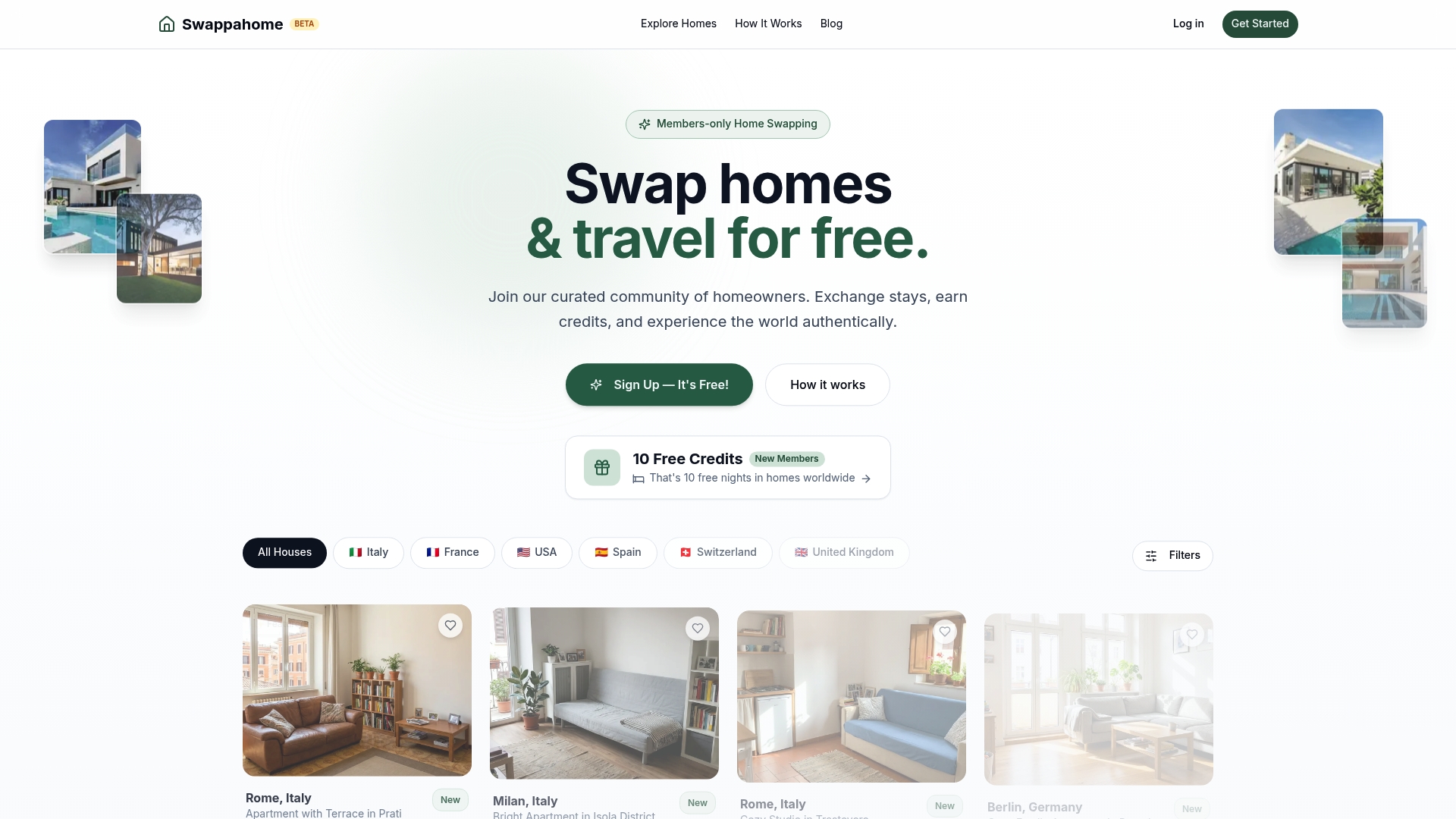
Swappahome is a members-only platform built for homeowners who want to travel without paying for hotels. The model is straightforward: list your home, earn credits when members stay, and use those credits to book stays in verified homes across dozens of countries.
 https://swappahome.com
New members receive free credits to get started, which means your first trip can happen before your first guest arrives. The platform verifies every member, so you know exactly who is staying in your home. If you want to see what is available right now, browse the current home swap listings or join Swappahome to list your property and start earning credits today.
FAQ
What is a homeowners network in simple terms?
A homeowners network is either a residential tech network connecting your home devices to the internet, or a community of homeowners sharing resources and travel opportunities. The context determines which meaning applies.
How does a home area network differ from wi-fi?
A home area network includes all devices, wired and wireless, connected through a modem and router. Wi-Fi is only the wireless portion of that network, not the network itself.
What does a community homeowners network do for travelers?
A community homeowners network connects verified homeowners who exchange homes for travel, eliminating hotel costs. Platforms like Swappahome use a credit system where one credit equals one free night.
Is a homeowners network the same as a homeowners association?
No. A homeowners association (HOA) governs a specific residential community and enforces rules. A homeowners network is a voluntary group focused on mutual support, referrals, or home swapping.
How do i join a homeowners network for home swapping?
To join a home swapping network, create a verified profile on a platform like Swappahome, list your property, and start earning credits. Most platforms offer trusted travel networking guides to help new members get started safely.
Recommended

Published by
SwappaHome
SwappaHome Editorial Team
Home Exchange & Slow Travel Editorial
The SwappaHome Editorial Team brings together travel research, home-exchange community insights, and platform data to produce practical guides for first-time and experienced home swappers. Every article cites real platforms, current market rates, and verifiable city-level facts so readers can make informed decisions without guessing.
Ready to try home swapping?
Join SwappaHome and start traveling by exchanging homes. Get 7 free credits when you sign up!