
Unlock Global Adventures: Mastering Google Travel for Your Next Trip

SwappaHome Editorial Team
Home Exchange & Slow Travel Editorial
Google Maps is a powerful tool for travelers, but most people only use a fraction of its capabilities. By understanding its features, you can transform your…
Google Maps is a powerful tool for travelers, but most people only use a fraction of its capabilities. By understanding its features, you can transform your trips from stressful to smooth. Here are the main things to remember:
Key Takeaways
- Always download offline maps for your destination before you travel. This is your safety net if you lose internet connection.
- Online Google Maps offers real-time public transit info, live walking directions, and instant search for places nearby.
- Create custom lists to save places you want to visit and build multi-stop routes to plan your days efficiently.
- International roaming costs can be very high, and public Wi-Fi is often unreliable and insecure.
- An eSIM provides affordable, reliable data abroad, allowing you to use all of Google Maps' online features without worry.
Mastering Google Travel: Your Essential Toolkit
Getting lost in a new place can be a real bummer. You step out of the train station, look around, and suddenly everything feels unfamiliar. Signs are in a language you don't read, and that paper map you brought? It feels more like a relic than a helpful tool. For a long time, this was just part of traveling. But now, we have Google Maps, a powerful tool right in our pockets that can really help. Most people only use a fraction of what it can do, though. They don't really get how the offline and online parts work together, and that's where the real magic happens.
Downloading Offline Maps for Essential Navigation
Let's start with the basics. The most important thing for any traveler is being able to download maps so you can use them without internet. This is your first step before you even think about leaving home. An offline map is like a safety net; it means you can still see where you are and figure out how to get somewhere, even if you have no signal at all. It's pretty simple to do:
- Connect to Wi-Fi: You need a Wi-Fi connection to download maps.
- Open Google Maps: Just launch the app.
- Search for Your Area: Type in the city or region you're going to (like "Rome" or "the Swiss Alps").
- Find 'Offline maps': Tap your profile picture in the top right, then select "Offline maps."
- Select the Area: You'll see a box on the map. Adjust it with your fingers to cover everywhere you plan to go – from the airport to the city center and any nearby spots. The app will tell you how much space it needs.
- Download: Once the area is set, just tap "Download."
Your map will then be saved to your phone. You can manage all your downloaded maps right there in the "Offline maps" section. This is a great way to plan your travels using Google Maps.
Understanding the Limitations of Offline Google Travel
While having an offline map is super important, it's basically a digital copy of a paper map. It has some big drawbacks. With an offline map, you can't:
- Get updates on traffic or have the map reroute you if there's a jam.
- See directions for walking, biking, or using public transport.
- Check if a business is open right now or if it's temporarily closed.
- Search for new places that aren't already on the map you downloaded.
- See how busy a place is at any given moment.
Offline maps will stop you from getting completely lost, but they won't help you travel efficiently. You need to bring the map to life for that.
Offline maps are your backup, your reliable safety net. They ensure you're never truly stranded. But to really explore and move around with ease, you need more than just a static image. You need the dynamic power of live data.
Leveraging Google Maps for International Exploration
When you're exploring a new country, having a reliable way to get around is key. While offline maps are great for basic navigation, they don't offer the real-time information that makes travel so much smoother. Think about trying to catch a bus in a foreign city – knowing the exact arrival time, or if there's a delay, can make all the difference. This is where Google Maps really shines when you have a connection. It transforms from a simple map into a dynamic guide that can save you time and hassle. For instance, understanding how to create personalized routes can be a lifesaver when you have multiple stops planned for the day.
Unlocking the Power of Online Google Travel Features
When your phone has a data connection, Google Maps really comes alive. It's not just about seeing where you are anymore; it's about knowing what's happening right now and making smart choices on the fly. This is where the app truly shines, turning a simple map into a dynamic travel assistant.
Real-Time Public Transit Information
This feature is a lifesaver in busy cities. Instead of just showing you a route, Google Maps gives you up-to-the-minute details. You'll see:
- Exact arrival times for buses and trains, updated live.
- Information on delays or service changes.
- Which platform to wait on.
- An idea of how crowded the transport might be.
It takes the guesswork out of navigating public transport in unfamiliar places, making it way less stressful. You can even check out flight information if you're planning your next big trip.
Walking Directions with Live View
Ever followed a blue dot on a map and ended up walking in circles? Live View uses your phone's camera to put augmented reality arrows and signs right onto your screen. It overlays directions onto the actual street view, so you can see exactly where to turn. It feels a bit like magic and makes it pretty hard to get turned around.
On-the-Fly Search and Discovery
This is probably the most useful online feature for spontaneous travelers. Need a coffee? Just search for "coffee shops near me" and you'll get a list with reviews, photos, and hours. Looking for a pharmacy, an ATM, or a specific type of restaurant? A live search gives you instant, relevant results for whatever you need, right when you need it. This kind of immediate information isn't possible with offline maps.
Having a live connection means you can react to your surroundings and make decisions without needing to plan every single step in advance. It opens up possibilities for discovering hidden gems or finding exactly what you need, when you need it.
This ability to search and discover in real-time is what truly transforms your phone into a local guide, helping you plan custom routes and find points of interest with ease.
Advanced Google Travel Strategies for Savvy Explorers
 Travelers exploring global landmarks and landscapes.
Once you've got the basics down, Google Maps has some really neat tricks up its sleeve that can make your trip planning and on-the-ground experience so much smoother. It’s about moving beyond just finding your way from point A to point B and really using the app to its full potential.
Creating Custom Lists for Trip Planning
This is a fantastic way to get organized before you even leave home. As you're researching places you want to visit – maybe a cool cafe, a historical site, or a specific shop – you can save them directly to a custom list within Google Maps. Think of it like creating your own digital scrapbook of destinations. You can make different lists for different cities or even for different types of activities, like "Paris Museums" or "Tokyo Food Spots." When you get to your destination, all these saved places pop up as pins on your map, making it super easy to see what's nearby and plan your days visually. It really helps you make the most of your time and discover hidden gems.
Building Multi-Stop Itineraries
Forget just plotting a single route. Google Maps lets you string together multiple destinations, up to nine stops, in a single trip. This is a lifesaver for days when you have a few errands to run or want to follow a specific walking tour. The app will optimize the order of your stops to give you the most efficient path, saving you time and energy. It's like having a personal assistant planning your route for the day. You can easily drag and drop stops to reorder them if your plans change, too.
Sharing Your Location for Safety and Convenience
This feature is a real game-changer, especially if you're traveling solo or meeting up with people. You can choose to share your live location with specific contacts for a set amount of time. It's a great peace of mind for family back home, letting them see you're on the move and safe. It's also incredibly useful for coordinating meetups in busy places – no more endless texting trying to find each other. Just share your location, and they can see exactly where you are.
Using these advanced features transforms Google Maps from a simple navigation tool into a powerful trip planning assistant. It allows for more spontaneity and less stress, turning potential travel hiccups into smooth sailing.
Here’s a quick look at how these features can help:
- Custom Lists: Organize sights, restaurants, and activities by location or theme.
- Multi-Stop Routes: Plan efficient daily schedules with up to nine stops.
- Location Sharing: Enhance safety and simplify meeting up with others.
These tools are readily available and can significantly improve your travel experience, especially when combined with real-time data. For more tips on finding great travel deals, check out how to search for flights.
The Connectivity Solution: Enhancing Your Google Travel Experience
We've talked about all the cool things Google Travel can do, both online and off. But let's be real, the truly amazing features, the ones that make you feel like a local and let you be spontaneous, they all need one thing: an internet connection. This is where a lot of travelers hit a wall. They worry about racking up huge phone bills or dealing with spotty Wi-Fi. It's the classic traveler's data dilemma.
Navigating the Traveler's Data Dilemma
So, what's the big deal with staying connected? It boils down to a few common, and often frustrating, options:
- International Roaming: This is the most straightforward, but also the most expensive. Using your home mobile plan while abroad can lead to shockingly high charges. A few hours of using Google Maps for directions could cost more than a nice dinner out. This fear often makes people keep their data turned off, which completely cripples the app's best features.
- Public Wi-Fi: Free Wi-Fi sounds great, right? But it's often unreliable, slow, and a major security risk. Plus, you can only use it when you're sitting in a cafe or your hotel lobby. You can't exactly use it while you're walking down a busy street trying to find your next stop.
- Physical SIM Cards: Buying a local SIM card when you land can work, but it's a hassle. You have to find a shop, wait in line, and sometimes deal with complicated setup processes. If you're hopping between countries, this becomes a time-consuming hunt every time you cross a border.
The fear of data costs is a real barrier. It stops travelers from fully using tools that could make their trips so much easier and more enjoyable. It's like having a super-powered car but being afraid to fill up the gas tank.
Why International Roaming and Public Wi-Fi Fall Short
International roaming is like paying a premium for something that should be standard. The costs are unpredictable and can quickly spiral out of control, turning a budget-friendly trip into an expensive one. You end up rationing your data use, constantly checking how much you've used, which really takes away from the fun of exploring. Public Wi-Fi, on the other hand, is a gamble. You might get lucky and find a strong signal, or you might spend twenty minutes trying to log into a network that barely works. And the security aspect is a big concern; you don't want your personal information exposed on an unsecured network.
The Role of eSIMs in Seamless Google Travel
This is where a travel eSIM comes in as a real game-changer. Think of it as a digital SIM card that you can install on your phone before you even leave home. It's a much simpler way to get affordable, reliable data when you're abroad. You can pick a plan that fits your needs, whether you're traveling for a week or a month, and often get a generous amount of high-speed data for a fixed price. This means you can use all of Google Maps' online features without constantly worrying about the bill. You can look up public transport in real-time, use Live View for walking directions, and discover new places on the fly, just like you would at home. It's the missing piece that lets you travel with confidence and spontaneity, turning your phone into the powerful travel companion it's meant to be. For example, a plan for Europe can cover multiple countries, making multi-stop trips much easier. It's a small step that makes a huge difference in how you experience a new place.
Transforming Your Journey with Google Travel
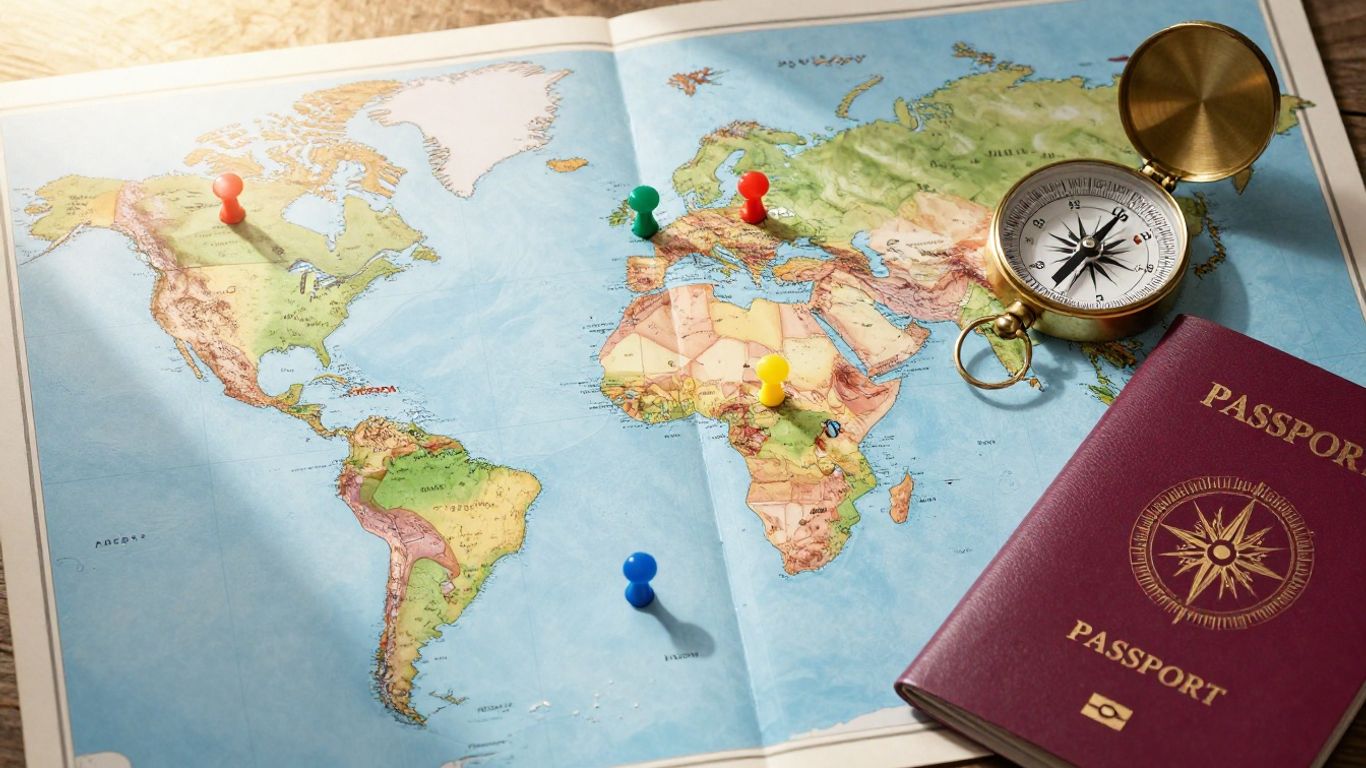 Global travel map with passport and compass for trip planning.
It's easy to think of Google Maps as just a way to get from point A to point B, but honestly, it's so much more. When you really get into it, this app can completely change how you travel, making things way less stressful and a lot more fun. Forget that old feeling of being totally lost and confused when you step off a plane or out of a train station. Google Maps, especially when you're connected, turns you from a bewildered tourist into someone who knows their way around, no sweat.
From Tourist to Confident Navigator
Remember those times you'd clutch a crumpled paper map, trying to decipher street names that looked like a jumble of consonants? Those days are pretty much over. With Google Maps, you get clear directions, whether you're walking, driving, or using public transport. It's like having a local friend in your pocket, showing you the best way to go. You can even use features like Live View, which uses your phone's camera to put arrows and street names right on top of what you're seeing. It makes finding that hidden cafe or the right bus stop feel almost like magic. This ability to move around with certainty really makes a difference in how much you enjoy a new place. You spend less time worrying about directions and more time actually experiencing your surroundings. For anyone planning a trip, getting familiar with these tools is a good idea, and there are resources to help you plan your travels.
Embracing Spontaneity with Live Data
One of the best parts about having a live connection is how it lets you be spontaneous. You're wandering through a new city, hear about a cool local market, and instead of having to find a tourist info booth, you just pull out your phone. A quick search for "local market near me" brings up options, reviews, and opening times right away. Or maybe you suddenly crave a specific type of food? You can search for "best pasta in Rome" and get instant results. This kind of on-the-fly discovery is impossible with just offline maps. It means you can follow your interests and find hidden gems without a lot of pre-planning. It’s about letting the journey surprise you, and Google Maps is your partner in that.
Traveling Smarter, Not Harder, with Google Maps
Ultimately, using Google Maps to its full potential is about making your trips smoother and more enjoyable. It's about ditching the stress and embracing the adventure. Think about it: real-time public transit updates mean you won't miss your bus or train because of a sudden schedule change. Live traffic information can reroute you around unexpected jams, saving you time and frustration. Even simple things like creating custom lists of places you want to visit before you go, or building a multi-stop route for a day of sightseeing, add up to a much more organized and efficient trip. It's not about being glued to your phone; it's about using technology smartly so you can relax and make the most of your time away. It’s about making sure your travel experiences are about discovery, not just getting from one place to another. The family behind Laconiko, for example, built their business on a foundation of passion and commitment, much like how we can approach our travels with a similar dedication to making them the best they can be, using the tools available to us.
Conclusion
Getting lost is a choice, not a necessity. By understanding how to use Google Maps, you empower yourself to travel with confidence and intelligence. Use offline maps as your essential backup, the life-raft that will always keep you afloat. But to truly sail, to explore with freedom and spontaneity, you need a live connection. An eSIM is the wind in your sails, turning your Google Maps from a simple chart into a dynamic, all-knowing first mate for your greatest adventures.
Frequently Asked Questions
What's the main benefit of downloading offline maps?
Downloading offline maps means you can see where you are and find your way even if you don't have internet. It's like having a paper map but on your phone, and it's super important for when you're in a new place and don't want to get lost.
Can I get directions with offline maps?
Sadly, no. Offline maps are mostly for seeing the streets and your current location. You can't get live walking, bus, or train directions, or see real-time traffic with them. For that, you need an internet connection.
How can Google Maps help me find places when I'm traveling?
When you have internet, Google Maps is amazing! You can search for 'restaurants near me' or 'museums' and get instant results with reviews, photos, and opening times. It makes finding things on the spot really easy.
What is 'Live View' and how does it work?
Live View is a cool feature that uses your phone's camera. It puts arrows and street names right on your screen, showing you exactly where to turn. It makes following walking directions feel like you're in a video game and stops you from taking wrong turns.
Why is international data so expensive?
Using your home phone plan in another country, called roaming, often costs a lot of money. Even a little bit of using Google Maps could lead to a huge phone bill. That's why many people turn their data off, which means they can't use the best parts of Google Maps.
What's an eSIM and how does it help with Google Maps?
An eSIM is a digital SIM card you can get for your phone. It lets you buy data plans for other countries at a good price. With an eSIM, you can use Google Maps' online features, like live directions and searches, without worrying about crazy costs or finding Wi-Fi.

Published by
SwappaHome
SwappaHome Editorial Team
Home Exchange & Slow Travel Editorial
The SwappaHome Editorial Team brings together travel research, home-exchange community insights, and platform data to produce practical guides for first-time and experienced home swappers. Every article cites real platforms, current market rates, and verifiable city-level facts so readers can make informed decisions without guessing.
Ready to try home swapping?
Join SwappaHome and start traveling by exchanging homes. Get 7 free credits when you sign up!