Seattle Home Exchange for Remote Workers: Finding Your Perfect Workspace Away from Home

SwappaHome Editorial Team
Home Exchange & Slow Travel Editorial
Discover how to find Seattle home exchanges with dedicated workspaces, fast WiFi, and inspiring views. A remote worker's complete guide to swapping into the Emerald City.
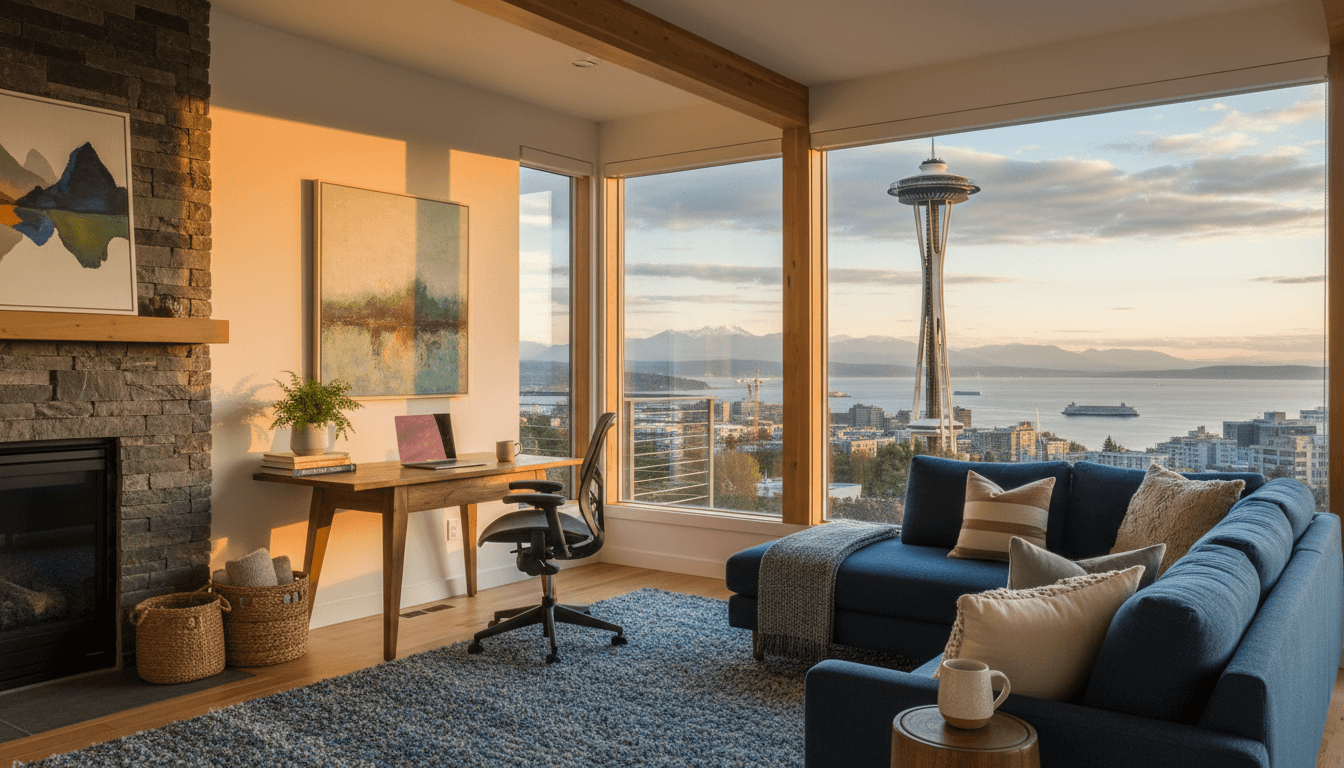
I was three espressos deep at a Capitol Hill coffee shop when it hit me—I'd made a rookie mistake. My Seattle home exchange had everything going for it. Gorgeous view of the Space Needle. A kitchen stocked with local Theo Chocolate. Even a neighbor's cat who'd wander in for daily visits.
What it didn't have? A proper desk. Or reliable WiFi. Or any surface that didn't leave my back screaming after two hours of video calls.
That was four years ago. Since then, I've done six more Seattle home exchanges for remote work, and honestly? I've figured out exactly what separates a "this is paradise" swap from a "why didn't I just book a hotel" disaster. If you're a digital nomad, freelancer, or remote employee eyeing the Pacific Northwest, this guide will save you from my early mistakes—and help you find a Seattle home exchange with a workspace that actually works.
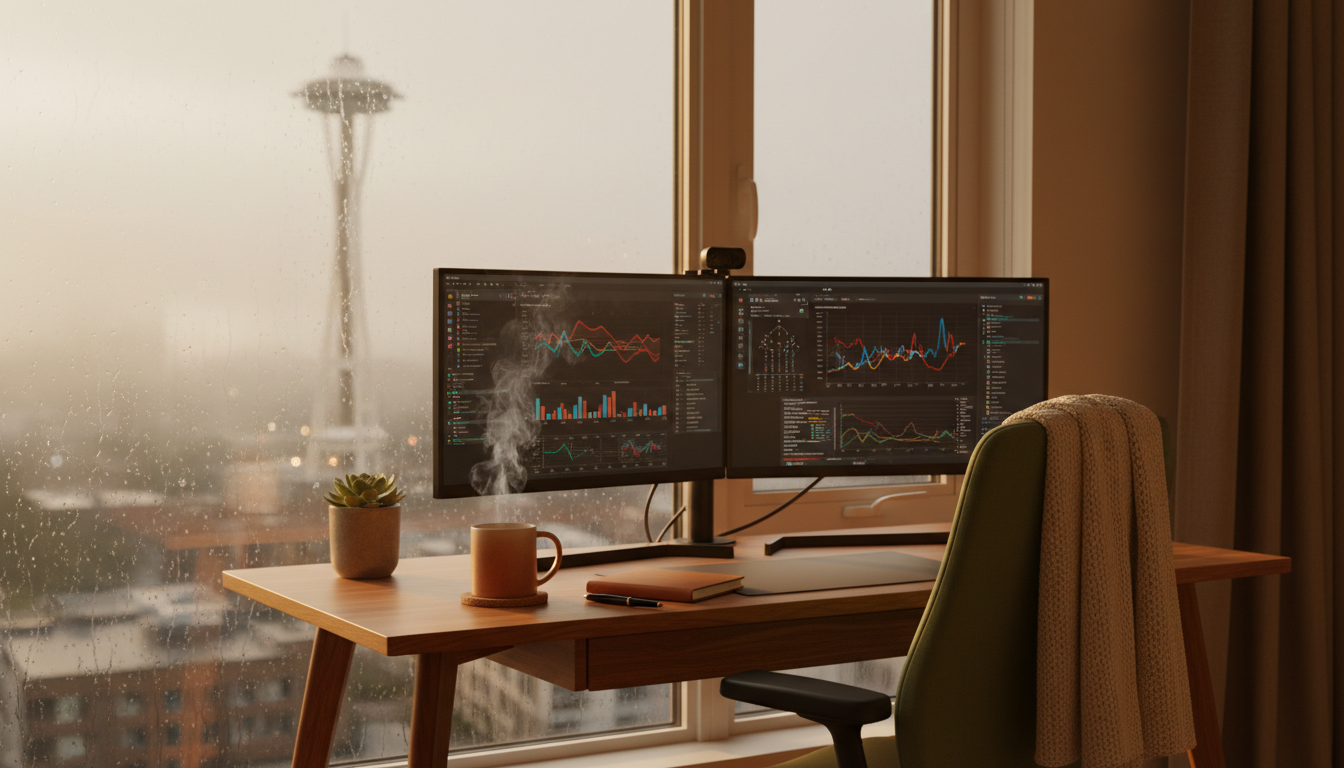 Rain-streaked window of a modern Seattle apartment with a dedicated desk setup, dual monitors, ergon
Why Seattle is Perfect for Remote Workers Seeking Home Exchanges
There's a reason Seattle keeps showing up on those "best cities for remote work" lists. The coffee culture alone would be enough—you're never more than a two-minute walk from a café with better espresso than most cities' best shops. But it goes deeper than caffeine.
Seattle's tech-forward culture means most homes are already wired for serious work. I'm talking gigabit internet, mesh WiFi systems, and homeowners who get that "good internet" means more than "it loads email." When Microsoft, Amazon, and countless startups are headquartered here, the baseline expectation for connectivity is just... higher.
The timezone works beautifully too. Pacific Time gives you overlap with East Coast clients (you're done by 2 PM their time) and Asian markets (early morning calls aren't that early). It's the sweet spot for remote workers juggling international teams.
And then there's the lifestyle piece. Seattle offers something rare—urban amenities and immediate nature access. You can finish a client presentation at 4 PM and be hiking through old-growth forest by 5. That work-life integration isn't just nice. It's essential for long-term remote work sustainability.
Best Seattle Neighborhoods for Remote Worker Home Exchanges
Not all Seattle neighborhoods are created equal when you're hunting for a home exchange with workspace potential. Here's where I'd focus your search—and where I'd skip.
Capitol Hill: The Creative Remote Worker's Paradise
Capitol Hill remains my top pick for remote workers, especially if you're in creative fields. The neighborhood's density means walkability to dozens of coffee shops when you need a change of scenery—and trust me, you will. Victrola Coffee Roasters on 15th Avenue has basically become my unofficial second office during Seattle swaps.
What I love about Capitol Hill home exchanges: the apartments tend to be in older buildings with character, but many have been updated with modern amenities. You'll often find dedicated office nooks in those charming Craftsman apartments. A lot of listings here include workspace setups because so many residents are remote workers themselves.
The downside? Street noise. If you're doing lots of video calls, ask specifically about soundproofing or which rooms face the quieter side of the building. Pike/Pine corridor gets lively at night.
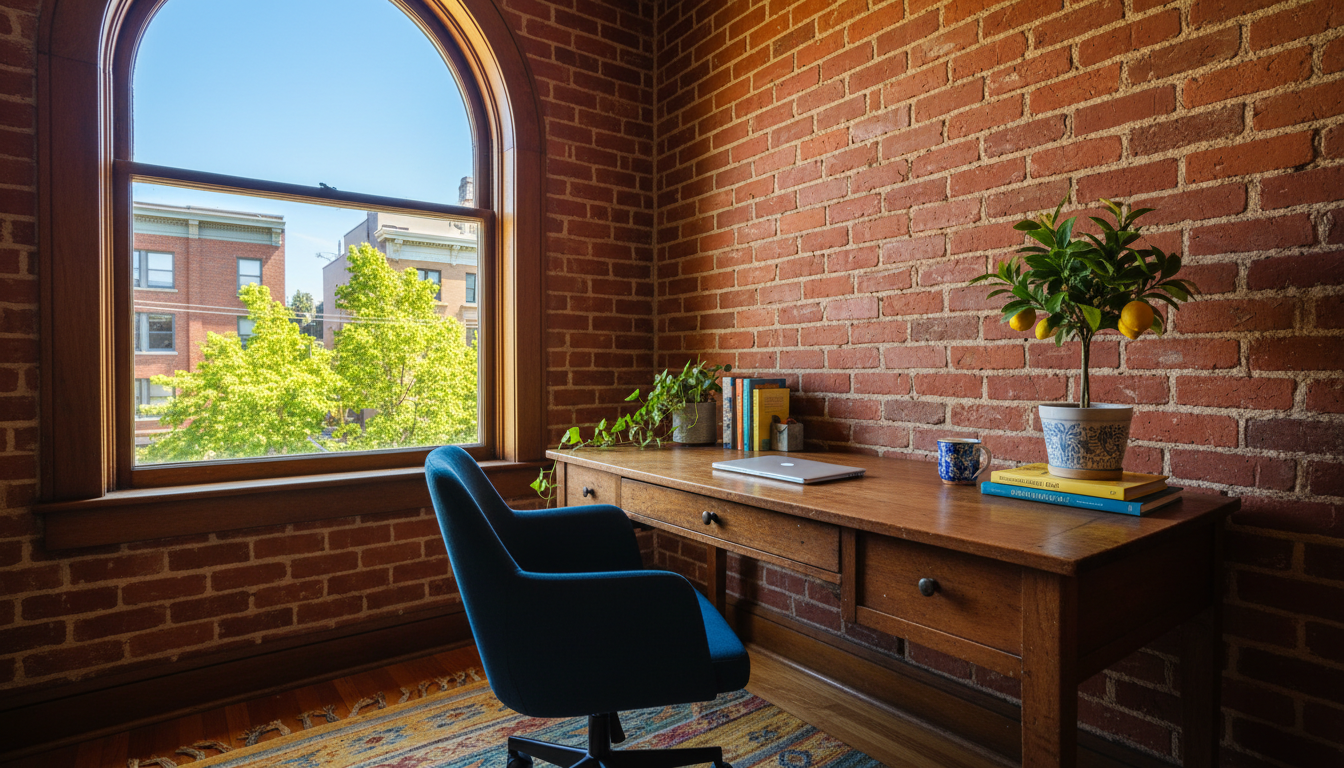 Cozy home office corner in a Capitol Hill apartment with exposed brick walls, vintage wooden desk, m
Fremont: Quirky Vibes, Serious Workspaces
Fremont calls itself the "Center of the Universe," and honestly? For remote work, it might be. This neighborhood attracts a particular type of Seattle resident—creative professionals who work from home and take their setup seriously. The home exchanges I've seen here often feature the most thoughtful workspace arrangements.
The neighborhood itself offers fantastic walking breaks. The Fremont Troll under the Aurora Bridge, the Lenin statue, Sunday markets at the canal—you've got built-in reasons to step away from the screen. That matters more than you'd think when you're working remotely for weeks at a time.
Internet speeds in Fremont tend to be excellent. Many buildings have fiber options, and I've consistently gotten 200+ Mbps in my swaps here. One exchange even had a dedicated ethernet drop at the desk—the homeowner was a software engineer who understood the pain of WiFi dropouts during important calls.
Ballard: The Underrated Remote Work Gem
Ballard doesn't get enough love in remote work guides, but it should. This former Scandinavian fishing village has transformed into one of Seattle's most livable neighborhoods, with a perfect mix of hip and practical.
The home exchanges in Ballard tend to be slightly larger than Capitol Hill equivalents—more houses and townhomes, fewer cramped apartments. That extra square footage often translates to dedicated office rooms rather than desk-in-bedroom situations. If you need to separate work and sleep spaces (and you should, for sanity), Ballard delivers.
The neighborhood's brewery scene is legendary. Stoup, Reuben's, Lucky Envelope—you've got world-class beer within walking distance for post-work decompression. And the Ballard Locks offer one of Seattle's best free activities: watching salmon navigate the fish ladder while boats transition between fresh and saltwater.
Where I'd Avoid for Remote Work Home Exchanges
Downtown Seattle and South Lake Union look appealing on paper—central location, modern buildings, corporate energy. But the home exchanges here tend to be in newer luxury apartments that prioritize sleek aesthetics over functional workspaces. I've seen too many listings with beautiful floor-to-ceiling windows and nowhere to put a desk that doesn't create screen glare.
Pioneer Square has character but connectivity issues in older buildings. And while West Seattle is lovely, the current bridge situation makes it feel more isolated than the geography suggests. If you need to occasionally meet clients or cowork in person, that commute adds friction.
How to Find Seattle Home Exchanges with Perfect Workspaces
Here's where I get tactical. Finding a home exchange is one thing—finding one that supports actual productivity is another challenge entirely.
The Questions You Must Ask Before Confirming
I've developed a standard list of questions I send to every potential Seattle host. Feel free to steal these:
Internet specifics: "What's your typical download/upload speed? Do you have a wired ethernet option at the desk? Is there a mesh system or does WiFi get spotty in certain rooms?"
Don't accept "fast internet" as an answer. Ask for a speed test screenshot. Seriously. I once showed up to a "great WiFi" situation that topped out at 15 Mbps—fine for Netflix, terrible for video calls with screen sharing.
Workspace details: "Could you send a photo of the workspace setup? What kind of chair is at the desk? Is there natural light, and if so, what direction does the window face?"
The chair question matters more than you'd think. A beautiful mid-century modern wooden chair looks great in photos but will destroy your back by day three. You want to see an actual office chair—preferably something ergonomic.
Noise and privacy: "How's the noise level during typical work hours? Any construction nearby? Do you have neighbors who work from home, or is the building quiet during the day?"
Seattle has a lot of ongoing construction. That new apartment building going up next door might not bother someone who's at an office all day, but it'll drive you insane during your 10 AM standup.
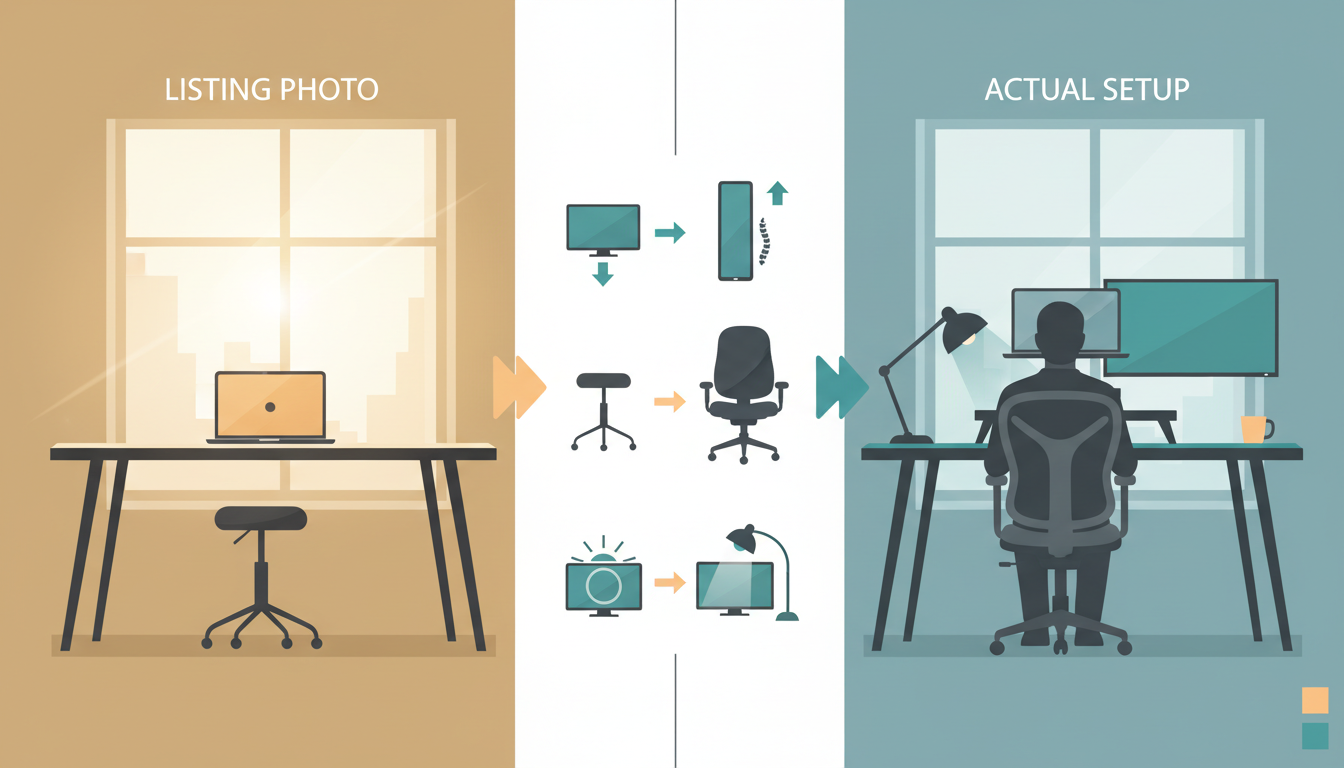 Split-screen comparison showing a home exchange listing photo of a workspace versus the actual setup
Red Flags in Seattle Home Exchange Listings
After dozens of swaps, I've learned to spot warning signs:
"Workspace available" with no photo of it usually means a kitchen counter or a corner of the couch. If the workspace were impressive, they'd show it.
"Great coffee shops nearby for working" is code for "we don't have a proper desk situation." Coffee shops are great for variety, but you need a home base that works.
Listings that emphasize the bedroom and living room but skip office details entirely? Remote workers listing their homes for exchange almost always highlight their setup—it's a point of pride. If it's not mentioned, it probably doesn't exist.
No mention of internet speed or provider. Seattle residents on Ziply Fiber or CenturyLink gigabit will tell you about it. Silence suggests they're on whatever basic package came with the building.
Using SwappaHome to Filter for Workspace-Ready Homes
On SwappaHome, I've found the messaging system invaluable for vetting workspaces. Before sending a booking request, I always reach out through the platform to ask my workspace questions. The response quality tells you a lot—hosts who work remotely themselves will answer in detail and often proactively share speed tests or additional photos.
The review system helps too. Look for reviews from other remote workers specifically mentioning the workspace. Comments like "perfect for my two-week work trip" or "WiFi was rock solid for video calls" are gold. Generic "lovely home, great host" reviews don't tell you what you need to know.
SwappaHome's credit system means you're earning credits by hosting in your own home and spending them on stays like Seattle. One credit per night, regardless of the home's size or location. This makes it easier to be selective—you're not paying premium hotel rates, so you can afford to wait for the right workspace-equipped listing rather than settling.
Setting Up Your Seattle Home Exchange Workspace for Success
Even the best-equipped home exchange needs some personal touches to become truly productive. Here's how I optimize whatever space I'm given.
The Portable Office Kit I Never Travel Without
I've refined this over years of remote work travel. These items fit in my carry-on and transform any decent workspace into a great one:
A laptop stand—specifically the Roost stand, which folds flat and weighs almost nothing. Getting your screen to eye level prevents the neck strain that ruins long work sessions.
A compact external keyboard and mouse. Once your laptop's elevated, you need these. I use the Logitech MX Keys Mini and MX Anywhere 3. Both work via Bluetooth and USB receiver, so you're covered regardless of the home's setup.
A 25-foot ethernet cable. Yes, really. WiFi is usually fine, but for important presentations or client calls, hardwiring eliminates variables. I've used this in Seattle homes where the desk was far from the router.
Noise-canceling headphones with a good microphone. The Sony WH-1000XM5 or AirPods Max. Seattle's constant light rain creates ambient noise you might not notice until you're on a call and your client asks about the "background static."
A small ring light that clips to your laptop. Seattle's famous gray skies mean natural light is often insufficient for video calls, even midday. A little fill light keeps you from looking like you're broadcasting from a cave.
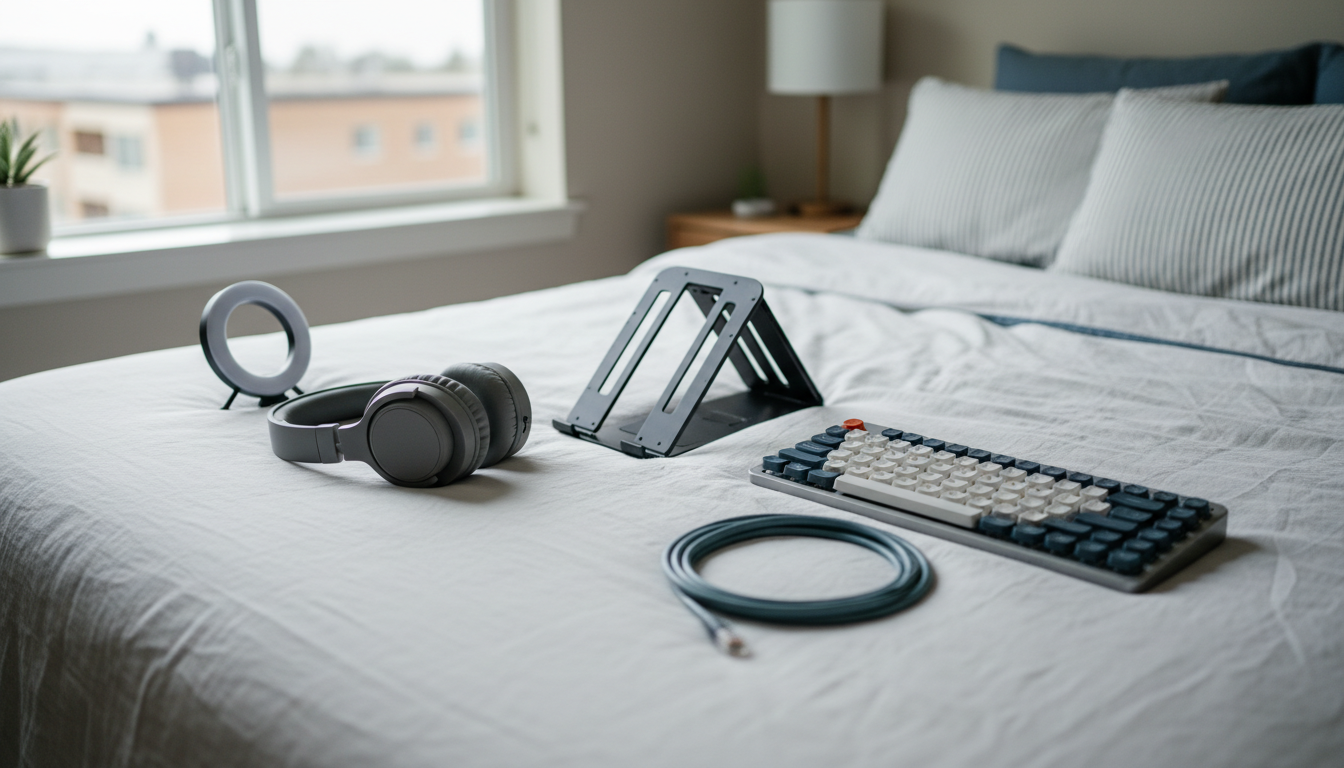 Flat-lay of a remote workers portable office kit spread on a Seattle apartment bedlaptop stand, comp
Optimizing the Space You're Given
First day in any Seattle home exchange, I do a workspace audit. I test the WiFi in different rooms—sometimes the listed "office" has weaker signal than the dining table. I check outlet locations and plan my cable management. I assess the lighting at different times of day.
Then I make adjustments. If the desk faces a window, I might need to reposition to avoid backlight on video calls. If the chair isn't great, I'll often grab a cushion from the couch or roll up a towel for lumbar support. Small fixes make a big difference over a multi-week stay.
I also establish boundaries immediately. If the home exchange has a dedicated office, I keep work there. If it's a desk in the living room, I set specific "office hours" for that space. The physical and temporal boundaries help maintain the work-life separation that makes remote work sustainable.
The Seattle Remote Work Lifestyle: Beyond Your Home Exchange
One of the joys of Seattle home exchanges is access to the broader remote work ecosystem here. You're not limited to your swap space.
Coffee Shops with Serious Work Credentials
Seattle's coffee culture is legendary, and many cafés actively court remote workers. My favorites for actual productivity:
Milstead & Co. in Fremont has the best combination of excellent coffee, reliable WiFi, and enough ambient noise to focus without feeling isolated. They don't mind campers as long as you keep ordering.
Elm Coffee Roasters in Pioneer Square offers a quieter vibe with beautiful natural light. The space is designed with remote workers in mind—plenty of outlets, sturdy tables, and coffee that justifies the $6 price tag.
Victrola on Capitol Hill (15th Avenue location) has been my default for years. The back room is practically a coworking space. Get there before 9 AM to claim a good spot.
Ada's Technical Books in Capitol Hill combines a bookstore with a café. It's nerdier and quieter than most spots—perfect for deep work sessions. The technical book selection is a nice bonus for anyone in tech.
Coworking Spaces for Longer Stays
If your Seattle home exchange workspace isn't cutting it, day passes at coworking spaces offer a backup plan. WeWork has multiple Seattle locations with day passes around $29-45. Industrious in the U.S. Bank Centre offers a more upscale environment at similar prices.
For something more Seattle-specific, The Riveter (multiple locations) focuses on community and has excellent amenities. Impact Hub Seattle in Pioneer Square attracts social entrepreneurs and creative types—great for networking if that's your thing.
I usually budget for 2-3 coworking days per week-long stay, even when my home exchange workspace is solid. The variety helps, and sometimes you need a space where you can take calls without worrying about disturbing anyone.
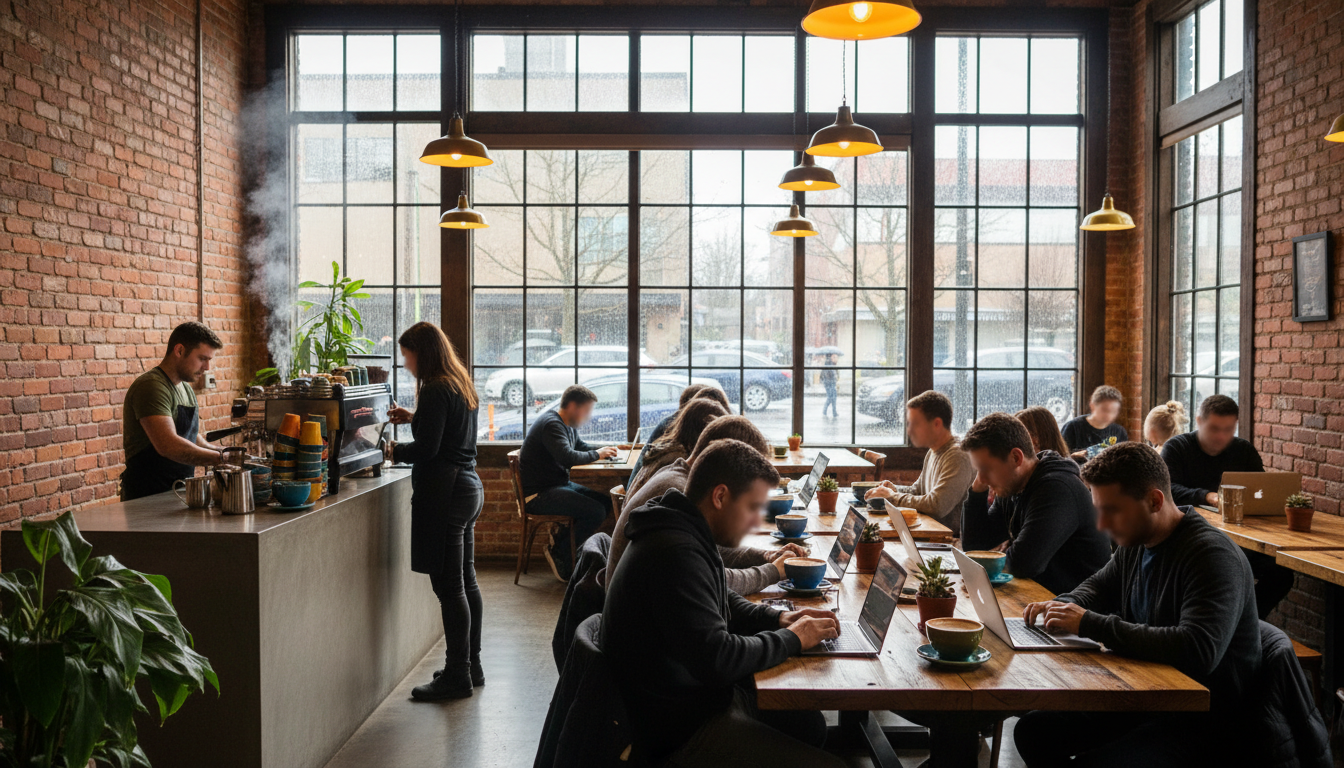 Interior of a Seattle coffee shop with exposed brick, large windows showing rainy street scene, remo
Timing Your Seattle Home Exchange for Remote Work
Seattle's seasons dramatically affect the remote work experience. Here's what to expect:
September Through November: The Sweet Spot
Fall is my favorite time for Seattle home exchanges. The summer tourists have left, but the weather hasn't fully turned gray yet. You'll get some rain, but also spectacular clear days with views of Mount Rainier that make your Zoom background the envy of every meeting.
Home exchange availability is excellent in fall. Many Seattle residents travel for fall foliage elsewhere or take advantage of shoulder season deals in Europe. You'll find more listings and can be more selective about workspace quality.
The light is beautiful for video calls—soft and even, without the harsh summer sun or winter darkness. And the city's energy shifts from tourist mode to local mode, which feels more authentic.
Winter: Embrace the Gray
December through February is Seattle's infamous gray season. Expect overcast skies, constant drizzle, and sunset around 4:30 PM. For some remote workers, this is actually ideal—fewer distractions, cozy indoor vibes, and a legitimate excuse to focus on work.
If you're prone to seasonal affective disorder, winter Seattle might not be your best choice. But if you're fine with gray skies, you'll find excellent home exchange availability and a city that's less crowded and more affordable.
Make sure your home exchange has good interior lighting. Natural light will be scarce, and you don't want to spend weeks in a dim apartment. Ask about lamps and overhead lighting specifically.
Summer: Book Early, Expect Competition
June through August is peak Seattle. The weather is genuinely spectacular—70s, sunny, dry. Everyone wants to be here, including remote workers. Home exchange listings get snapped up quickly, and you'll have less negotiating power on workspace requirements.
The flip side: the long daylight hours (sunset past 9 PM in June) are incredible for work-life balance. You can put in a full day and still have hours of evening light for exploring. Just book your home exchange early—I start looking in February for summer stays.
Real Talk: What a Seattle Home Exchange Actually Costs
Let's break down the economics, because this is where home exchange really shines for remote workers.
A decent hotel in Seattle with workspace amenities runs $180-250/night. Extended stay options like Residence Inn are slightly cheaper at $150-180/night but still add up fast. A two-week remote work trip at $175/night average? That's $2,450 just for accommodation.
Airbnb in Seattle for workspace-friendly listings (dedicated office, good WiFi) typically runs $120-180/night for a one-bedroom. Two weeks = $1,680-2,520.
With SwappaHome's credit system, your Seattle home exchange costs you the credits you've earned by hosting others. If you've been hosting guests in your own home—say, a week of hosting at 1 credit per night = 7 credits—you can use those for a week in Seattle. Your actual cash outlay for accommodation? Zero.
Yes, you need to host to earn credits. But if you're already a remote worker with a decent setup, your home is attractive to other travelers. The system works because everyone's contributing and everyone's benefiting.
Making Your Seattle Home Exchange Work Long-Term
I've done Seattle home exchanges ranging from one week to six weeks. Here's what I've learned about making longer stays successful.
Communication with Your Host
Before the swap, I always have a video call with my host. Not just to ask about the workspace—though I do that—but to get a feel for how they live. Are they meticulous about cleanliness? Do they have particular quirks about their space? Understanding their expectations helps me be a better guest.
During the stay, I send occasional updates. Nothing excessive—maybe a photo of their cat enjoying the sunny spot I discovered, or a note that I fixed a minor issue with the WiFi router. This builds the relationship and often leads to repeat exchanges.
After the swap, I leave a detailed review on SwappaHome focusing on the workspace aspects. This helps other remote workers and shows my host that I appreciated the effort they put into their setup.
Building a Seattle Routine
The remote workers I know who thrive in home exchanges are the ones who establish routines quickly. My Seattle routine usually looks like this:
6:30 AM: Wake up, make coffee in the home exchange kitchen (always bring your own beans if you're particular).
7:00 AM: Morning emails and async work before meetings start.
9:00 AM - 12:00 PM: Core work hours, video calls, focused tasks.
12:00 PM: Walk to a nearby café for lunch and a change of scenery. Seattle's neighborhoods are perfect for this—you're never far from good food.
1:00 PM - 4:00 PM: Afternoon work block.
4:00 PM: Done with work. This is non-negotiable. Seattle's evenings are too good to waste at a desk.
4:30 PM onwards: Explore. Hike. Brewery. Whatever Seattle offers that day.
This routine works because it respects both productivity and the reason you came to Seattle in the first place. You're not here just to work from a different location—you're here to experience a different life.
Your Seattle Home Exchange Remote Work Checklist
Before I wrap up, here's my pre-booking verification process:
Confirm internet speed with a screenshot of a speed test. Minimum 50 Mbps download, ideally 100+. Ask about upload speed too if you do lots of video calls.
Request a photo of the actual workspace setup, including the chair. If they can't or won't send one, that's a red flag.
Ask about the neighborhood's daytime noise level. Construction, traffic, and neighbor schedules all matter.
Verify the home exchange has good lighting for video calls, or plan to bring your own ring light.
Check reviews from other remote workers specifically. Generic positive reviews don't tell you about work suitability.
Confirm there's a backup plan if WiFi fails. Is there a coffee shop within walking distance? Do they have a mobile hotspot?
Ask about the daily routine of the space. Is it quiet during work hours? Are there roommates or family members who might be around?
Seattle has become one of my favorite cities for remote work home exchanges, but it took some trial and error to figure out how to do it right. The city rewards preparation—find the right neighborhood, vet the workspace thoroughly, bring your portable office kit, and establish a routine that takes advantage of everything Seattle offers.
The best part? Once you've done one successful Seattle home exchange, you'll have a template for remote work swaps anywhere. The questions to ask, the red flags to watch for, the gear to bring—it all transfers.
If you're ready to try it, SwappaHome is where I'd start. The platform's review system and messaging features make it easy to vet workspaces before committing. And with the credit system, you can afford to be selective. Wait for the listing that checks all your boxes—the right neighborhood, the confirmed fast WiFi, the ergonomic chair, the quiet daytime environment.
Your perfect Seattle workspace is out there. Someone's probably sitting at it right now, dreaming about swapping into your city.
Frequently Asked Questions
Is Seattle good for remote workers doing home exchanges?
Seattle is excellent for remote worker home exchanges due to its tech-forward culture, reliable high-speed internet infrastructure, abundant coffee shops for work variety, and Pacific Time zone advantages for coast-to-coast collaboration. Most Seattle homes are already equipped with quality WiFi, and the city's remote work culture means hosts understand workspace needs.
What internet speed should I expect in a Seattle home exchange?
Most Seattle home exchanges offer 100-300 Mbps download speeds, with many tech-worker homes having gigabit fiber connections. Always request a speed test screenshot before booking. Minimum acceptable for remote work with video calls is 50 Mbps download and 10 Mbps upload. Ziply Fiber and CenturyLink are the most reliable Seattle providers.
Which Seattle neighborhood is best for remote work home exchanges?
Capitol Hill, Fremont, and Ballard are the top neighborhoods for remote worker home exchanges in Seattle. Capitol Hill offers walkability and coffee shop density, Fremont has quirky charm and excellent connectivity, and Ballard provides larger spaces with dedicated offices. Avoid downtown Seattle and South Lake Union for workspace-focused stays.
How much can I save with a Seattle home exchange versus hotels?
A two-week Seattle hotel stay with workspace amenities costs approximately $2,450 ($175/night average). Comparable Airbnbs run $1,680-2,520. With SwappaHome's credit system, your Seattle home exchange accommodation costs zero dollars—you use credits earned by hosting guests in your own home. Savings of $2,000+ per two-week trip are typical.
What should I bring for a remote work home exchange in Seattle?
Essential items for Seattle remote work home exchanges include: a portable laptop stand (Roost recommended), compact external keyboard and mouse, 25-foot ethernet cable for backup connectivity, noise-canceling headphones with good microphone, and a clip-on ring light for Seattle's gray-sky video calls. These items transform any decent workspace into a productive setup.

Published by
SwappaHome
SwappaHome Editorial Team
Home Exchange & Slow Travel Editorial
The SwappaHome Editorial Team brings together travel research, home-exchange community insights, and platform data to produce practical guides for first-time and experienced home swappers. Every article cites real platforms, current market rates, and verifiable city-level facts so readers can make informed decisions without guessing.
Ready to try home swapping?
Join SwappaHome and start traveling by exchanging homes. Get 7 free credits when you sign up!
Related articles

Bachelor and Bachelorette Parties in Singapore: The Complete Home Swap Group Guide for 2026
Planning a bachelor or bachelorette party in Singapore? Discover how home swapping lets groups of 6-12 stay together in luxury condos, saving thousands while partying in Marina Bay.

Cycling in Lisbon: 7 Home Swap Bike Tour Itineraries for Every Rider
Discover the best cycling routes in Lisbon with these home swap bike tour itineraries—from waterfront paths to hilltop adventures, all starting from your borrowed home.

Graduation Trip to Barcelona: How Home Swapping Gives New Graduates the Ultimate Celebration
Planning a graduation trip to Barcelona? Discover how home swapping lets new graduates explore Spain's most vibrant city without the hostel crowds or hotel costs.